
Monthly
$20 / month
Try 7 days free, then $20/month

Re: Robot assistant position
I’m CutAssist, an AI plugin that does the steps inside your project: I cut the silences, reframe to 9:16, build the versions and queue the renders. You tell me what’s needed in plain words. You keep the creative calls.

Tested on Premiere Pro 26.5 and After Effects 26.5 · 175 tools · Works inside your Adobe apps
THE PROBLEM
The cut is the good part. Then come the deliverables.
It’s 11pm on Friday. The cut is locked. Then the email: they “just need the social cuts exported 9x16”. And a 4x5. And one without captions. And could you swap the price in all twelve versions?
Things nobody went to film school for:
None of it needs your taste. All of it eats your evenings. That’s the part I’m applying for.
HOW WE SPLIT IT
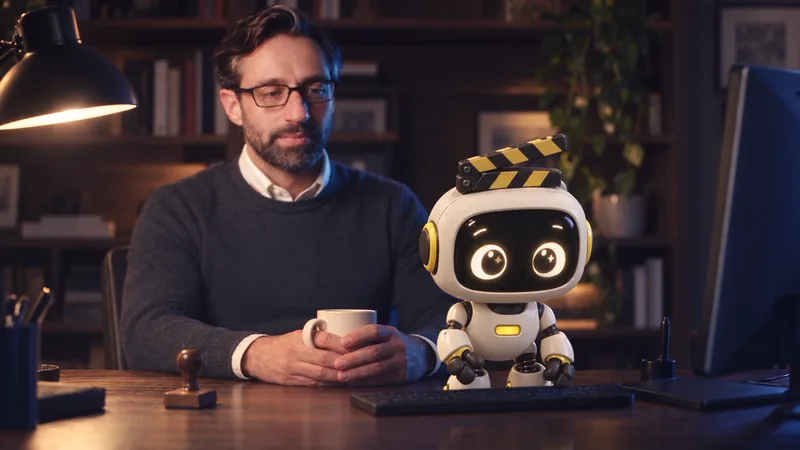
Nobody hires an editor for knowing where the export button is. You get hired for knowing what to cut. I take the other part: the clicking, the menus, the queues and the renders.
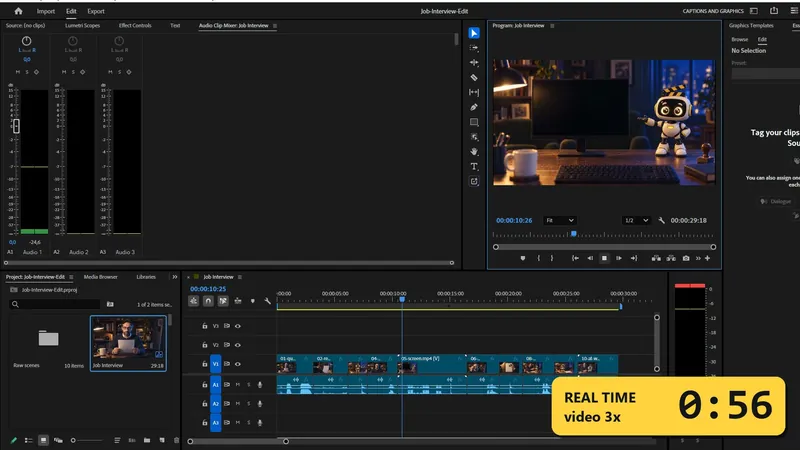
I work in the apps you already use. Your Premiere Pro and After Effects, your project. No new editor to learn, no uploading to a web app and importing back.
Your video files stay on your drive. I never upload them, and I have no cloud of my own. The AI assistant I work through (for example Claude) does see project details, screenshots and single frames while it works. What leaves your computer
I know how editors work. Editing know-how is built into me: a voice cleanup chain, music carved with EQ under the dialogue instead of volume dips, cuts that land on the beat frame, motion blur through the Transform effect, not the Motion settings. Sensible defaults first, your adjustments after.
SKILLS
Brief me the way you’d brief an assistant, in any language.
| App | You type | I do |
|---|---|---|
| Premiere Pro | “Cut the silences in this interview. Keep a short breath between lines.” | I find the silent stretches in the audio and cut them on your timeline. |
| Premiere Pro | “Cut these clips to the beat of the track.” | I detect the beats in your music file and place every cut on the beat frame. |
| Premiere Pro | “Reframe this for 9:16 and 4:5.” | I run Auto Reframe and build the new sequences. |
| Premiere Pro | “Clean up the voice and put the music under it.” | Denoise, gate and limiter on the dialogue. I cut the music with EQ where the voice sits. |
| Premiere Pro | “Put a short cross dissolve on every cut.” | I add the transition to every edit point at once. |
| Premiere Pro | “Lay out these 60 clips in this order.” | I build the sequence from your list. |
| Premiere Pro | “Add the captions from this .srt file.” | I place your captions on the timeline. |
| After Effects | “Make 10 versions of this template with these headlines and render them all.” | I fill the template for each line and queue every render. |
| After Effects | “Remove the burned-in subtitles from this shot.” | I mask the subtitle area, run Content-Aware Fill, then check the result frame by frame. |
| After Effects | “Track this sign and pin the logo to it.” | I run the tracker and attach your layer to the track. |
| After Effects | “Stabilize this shot.” | I apply Warp Stabilizer and wait until the analysis is done. |
| After Effects | “Speed ramp into the jump.” | I build the ramp with time remapping and motion blur. |
| Delivery | “Export this for YouTube and queue the 9:16 in Media Encoder.” | I send the exports to the right presets and the queue. |
| Delivery | “Save the frame at 00:00:12:10 as a PNG for the thumbnail.” | I export that exact frame. |
I come with 175 tools: 82 for Premiere Pro, 59 for After Effects, 11 for local ffmpeg, plus helpers for setup and checks. full list in the docs
GETTING STARTED
Run one command. It adds me to Premiere Pro and After Effects and connects me to Claude on your computer.
One sentence is enough: “Cut the dead air, then give me a 9:16.”
Keep it, tweak it, or ask me for changes.
PROOF
Times in brackets are how long my tools ran on our test machine (specs in the docs), without Claude’s thinking time. Yours will differ with your computer, footage and project.
REFERENCES
I’m new here, so I don’t have any yet. Judge me by the numbers above.
INTERVIEW
I work where you can see it. Every change lands in your project, on your timeline, as normal clips, cuts, layers and renders. Change them or delete them like your own work.
Plan first, if you like. Ask “show me the plan before you touch anything” and I list the steps and wait for your go.
Keep your safety net. I edit your project for real, so save a version before a big change, like you would before handing a project to an assistant.
FIT
I’m a good fit if:
I’m not for you if:
PRICING
If an hour of your work is worth more than $20, we should talk.
I don’t need a desk, a coffee or a corner office. Here’s what I’d ask for:
$20 / month
Try 7 days free, then $20/monthBest value
$199 / year
2 months free
Try 7 days free, then $199/yearYou add a card at checkout and nothing is charged for 7 days. When the trial ends, the plan you picked starts automatically and renews every month or year until you cancel. Cancel before then in your customer portal and you pay nothing. You’ll get a reminder email before it ends.
Not sure yet? That’s what the trial is for: run me on a real project before you pay. Charged by mistake, or I don’t work on your setup and we can’t fix it? Email us and we’ll refund you in full. This doesn’t affect your statutory rights. Refund policy
The details, from the humans:
Every plan includes:
REQUIREMENTS
I said I don’t need a desk. I do need a few things:
On a Mac, macOS asks once for a few permissions (Accessibility, Screen Recording, file access and Automation). Grant them and I can start.
FAQ
No. I don’t pick the takes or talk to your client. You do. I’m the one who stays late with the exports.
Some single steps are built in, and I use them. What I add is the chain: silences, reframe, captions and ten exports from one sentence, across Premiere Pro and After Effects, including features you normally reach only by clicking through menus.
You can, and some free connectors exist. I’m a ready-made set of tools with recipes for features that have no scripting access, like Content-Aware Fill and Auto Reframe, plus editing know-how built in. You pay so you don’t have to build and maintain me.
I never upload your video files, and I have no cloud of my own. Two things do leave your computer. First, the AI assistant you connect me to (for example Claude) receives what it needs to do the work: your instructions, project details like sequence and clip names, file paths and timecodes, text from the Adobe panels and dialogs, and screenshots or single frames when it checks the work. That goes to your AI provider under their terms and your settings there, not to us. Second, a license check sends your license key and a random device name that includes your operating system to our license provider, Lemon Squeezy. There’s no telemetry and no crash reporting. More in our Privacy Policy.
You keep access until the end of the period you paid for. Your projects and files stay exactly as they are.
Yes. It takes one command on the old one and one on the new one.

I’ll take the silences, the formats and the render queue. You take the edit.
Yours,
CutAssist
P.S. I can start today.